
Unable to Play: Error code: s1002 (Network)
See original GitHub issueHey team, was really hoping you could help me out.
My environment:
- Plex is a linuxserver container.
- Plex.yml for docker-compose:
version: "2"
services:
  plex:
    image: linuxserver/plex
    container_name: plexv2
    network_mode: host
    restart: always
    environment:
      - PUID=0
      - PGID=0
      - VERSION=docker
    volumes:
      - /root/docker/plexv2/config:/config
      - /root/docker/plexv2/transcode:/transcode
      - /root/docker/plexv2/tmp:/tmp
      - /root/media:/media
      - "/root/docker/plexv2/binaries/Plex Transcoder-linux:/usr/lib/plexmediaserver/Plex Transcoder"
    ports:
      - "32400:32400/tcp"
      - "3005:3005/tcp"
      - "8324:8324/tcp"
      - "32469:32469/tcp"
      - "1900:1900/udp"
      - "32410:32410/udp"
      - "32412:32412/udp"
      - "32413:32413/udp"
      - "32414:32414/udp"
- I set up the LoadBalancer on the same machine as the plex server with the following env variables:
export SERVER_PORT=23001
export SERVER_PUBLIC=http://127.0.0.1:23001/
export PLEX_HOST=127.0.0.1
export PLEX_PORT=32400
export PLEX_PATH_USR=/root/docker/plexv2/config
export PLEX_PATH_SESSIONS=/root/docker/plexv2/config/Library/Application\ Support/Plex\ Media\ Server/Cache/Transcode/Sessions
export DATABASE_MODE=sqlite
export DATABASE_SQLITE_PATH=/root/docker/plexv2/config/Library/Application\ Support/Plex\ Media\ Server/Plug\-in\ Support/Databases/com.plexapp.plugins.library.db
export CUSTOM_SCORES_TIMEOUT=10
export CUSTOM_DOWNLOAD_FORWARD=false
- I set the “Custom Server Access URL” to:
http://192.168.2.13:23001/ - I turned off Relay
- I manually deleted the relay binary in the container by renaming it to an unrecognized name.
- I blocked port 32400, but was unsure about how to access plex outside the network.
- I used nginx to set up SSL to the LoadBalancer at
https://chuck-lb.example.comwhich proxies to http://plexhostlocalip:23001
-
I compiled UnicornFFMPEG, which was saved to
/root/docker/plexv2/binaries/Plex Transcoder-linux. This is passed into the container replacing the default Plex Transcoder found in/usr/lib/plexmediaserver -
I configured UnicornTranscoder (I think).
- Cloned the project and edited the config.js with the following:
/**
 * Created by drouar_b on 27/04/2017.
 */

const env = require('getenv');

module.exports = {
    port:                  env.int   ('SERVER_PORT',           3000),
    host:                  env.string('SERVER_LISTEN',         '127.0.0.1'),
    transcoder_decay_time: env.int   ('TRANSCODER_DECAY_TIME', 120),
    loadbalancer_address:  env.string('LOADBALANCER_ADDRESS',  'https://chuck-lb.example.com'),
    ping_frequency:        env.int   ('PING_FREQUENCY',        10),
    instance_address:      env.string('INSTANCE_ADDRESS',      'http://127.0.0.1:3000'),
    maxmind_key:           env.string('MAXMIND_KEY',           ''),

    transcoder: {
        plex_arch:         env.string('PLEX_ARCH',             'amd64'), // Can be: amd64, arm64, armhf, i386
        plex_build:        env.string('PLEX_BUILD',            '1.19.3.2843-e3c1f7bcd'),
        codecs_build:      env.string('CODECS_BUILD',          '99c90e0-3095'),
        eae_version:       env.string('EAE_VERSION',           'eae-69c1de6-42'), // 41 or 42?
        plex_resources:    env.string('PLEX_RESOURCES',        'plexmediaserver/'),
        temp_folder:       env.string('TEMP_FOLDER',           'cache/'),
        codecs_folder:     env.string('CODECS_FOLDER',         'codecs/'),
        plex_transcoder:   env.string('PLEX_TRANSCODER',       'Plex Transcoder'),
        debug:             env.boolish('TRANSCODER_DEBUG',     false),
        debugScope:        env.string('DEBUG',                 ''),
    },

    performance: {
        maxSessions:        env.int('MAX_SESSIONS',           10),
        maxDownloads:       env.int('MAX_DOWNLOADS',          10),
        maxTranscodes:      env.int('MAX_TRANSCODE',          10),
    },

    //routing: {
    //    'US': 'http://usgateway.myplex.com'
    //},
};
- I ran
npm run install - Even though the SERVER_PORT is set in the config.js file, I still had to run with
SERVER_PORT=3000 npm start, otherwise it tried to start with 23001. - No errors on start
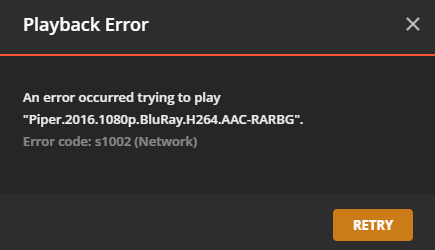
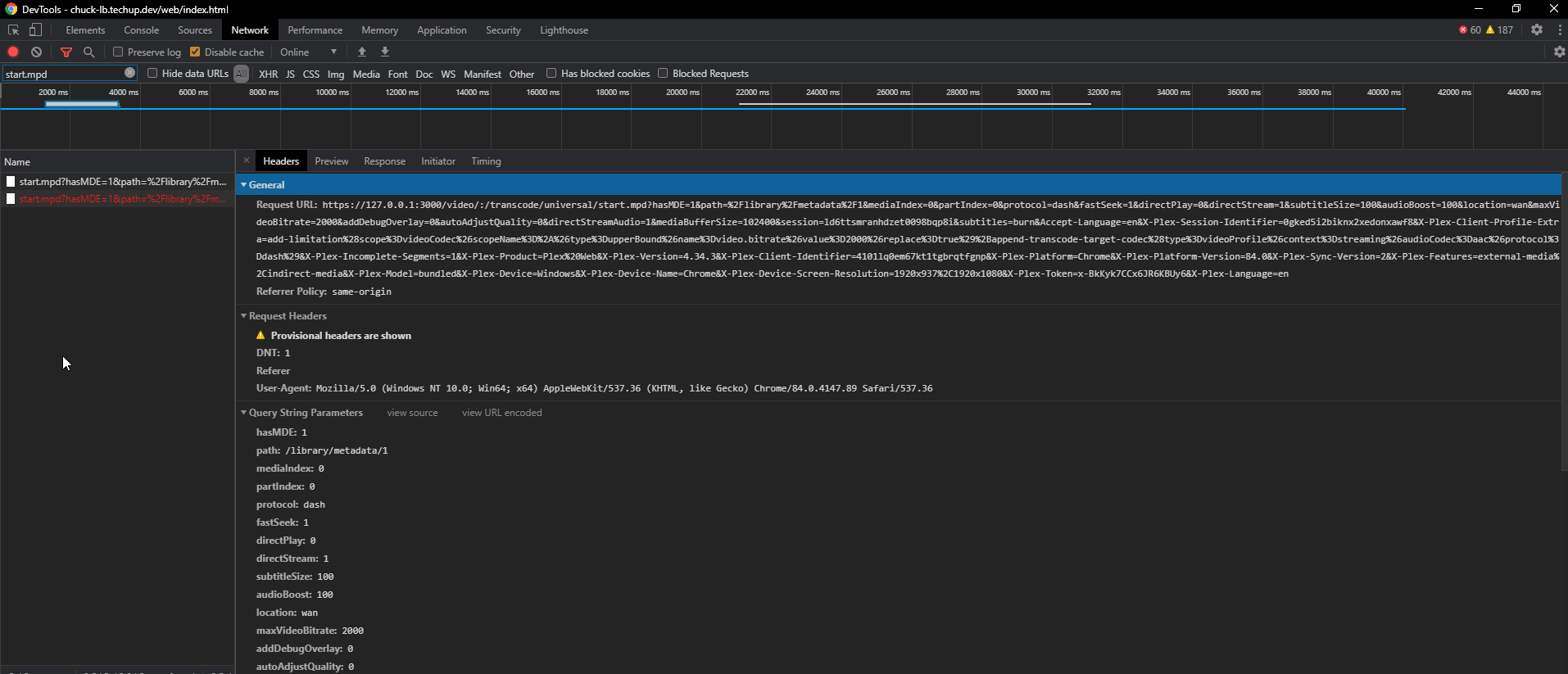
- But i still get the following error in plex:
Issue Analytics
- State:

- Created 3 years ago
- Comments:32 (12 by maintainers)
 Top Results From Across the Web
Getting Playback Errors randomly : r/PleX - Reddit
Error code s1002 (Network). ... usually after starting the episode on my phone I am able to watch it on the browser with...
Read more >1002 Network Error - VdoCipher Blog
Causes- The error 1002 means that a network HTTP request failed without any status code. This could mean a connection timeout or any...
Read more >[FIX] 'Error code: S1001 (Network)' in Plex Media Player
The Error Code S1001 (network) appears inside the Plex Media Player whenever the player needs to transcode something.
Read more >Fixes to All Plex Playback Errors S1001, Conversion Failed, etc.
1. Playback Error. An error occurred trying to play this item. Error code: s1001 (Network). 2. Playback Error. Conversion failed.
Read more >Error: 1002 or 2123 appears when attempting to update the ...
The 1002 or 2123 error will appear due to an interference with the Internet connection. If you are using Wi-Fi Internet connection to ......
Read more > Top Related Medium Post
No results found
 Top Related StackOverflow Question
No results found
 Troubleshoot Live Code
Lightrun enables developers to add logs, metrics and snapshots to live code - no restarts or redeploys required.
Start Free Top Related Reddit Thread
No results found
 Top Related Hackernoon Post
No results found
 Top Related Tweet
No results found
 Top Related Dev.to Post
No results found
 Top Related Hashnode Post
No results found
Cool. I’ll submit a PR for a wiki/more complete walkthrough with some explanations/gotchas.
yesir. Transcode is fine. Download is fine. Only remaining question is: What do i set the “Custom server access URLs” to? The nginx FQDN of the loadbalencer?