
Jibri Recording Fails to Start
See original GitHub issueI am not sure if this is the same as https://github.com/jitsi/docker-jitsi-meet/issues/240 - please close if it is. My logs look different, and I will try to highlight what is wrong. This is a brand new docker-installation. And rest of the system (meetings etc) work well. Only the recording fails, and I cannot seem to get the root cause.
To reproduce -
-
When I start recording from here:

-
And confirm here to start:
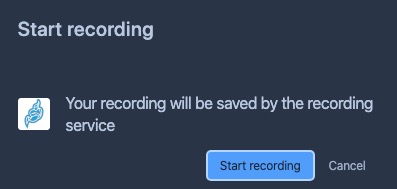
-
About a second later the error here shows at the bottom left of the screen:
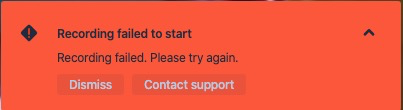
I guess this part of the log is the issue, but I do not know what localStorage means, or how to resolve this:
SEVERE: [138] org.jitsi.jibri.selenium.JibriSelenium.run() An error occurred while joining the call: org.openqa.selenium.WebDriverException: <unknown>: Failed to read the 'localStorage' property from 'Window': Access is denied for this document.
I have loopback activated properly as per # lsmod | grep snd:
snd_aloop              28672  0
snd_pcm               114688  1 snd_aloop
snd_timer              36864  1 snd_pcm
snd                    94208  3 snd_timer,snd_aloop,snd_pcm
soundcore              16384  1 snd
Any help to resolve would be appreciated.
Full logs here:
2020-04-05 11:34:50.276 FINE: [127] org.jitsi.xmpp.mucclient.MucClient.log() Received an IQ with type set: IQ Stanza (jibri http://jitsi.org/protocol/jibri) [to=jibri@auth.meet.jitsi/lUhrIbqf,from=jibribrewery@internal-muc.meet.jitsi/focus,id=amlicmlAYXV0aC5tZWV0LmppdHNpL2xVaHJJYnFmADh4a2RVLTI1OTcAXn8rV1Ezx+RbEg8tm7AlVQ==,type=set,]
2020-04-05 11:34:50.276 INFO: [127] org.jitsi.jibri.api.xmpp.XmppApi.handleJibriIq() Received JibriIq <iq to='jibri@auth.meet.jitsi/lUhrIbqf' from='jibribrewery@internal-muc.meet.jitsi/focus' id='amlicmlAYXV0aC5tZWV0LmppdHNpL2xVaHJJYnFmADh4a2RVLTI1OTcAXn8rV1Ezx+RbEg8tm7AlVQ==' type='set'><jibri xmlns='http://jitsi.org/protocol/jibri' action='start' recording_mode='file' room='stippy@muc.meet.jitsi' session_id='fggawaddtkkcksbu' app_data='{"file_recording_metadata":{"share":true}}'/></iq> from environment [MucClient id=xmpp.meet.jitsi hostname=xmpp.meet.jitsi]
2020-04-05 11:34:50.277 INFO: [127] org.jitsi.jibri.api.xmpp.XmppApi.handleStartJibriIq() Received start request
2020-04-05 11:34:50.277 INFO: [127] org.jitsi.jibri.api.xmpp.XmppApi.handleStartJibriIq() Sending 'pending' response to start IQ
2020-04-05 11:34:50.277 INFO: [128] org.jitsi.jibri.api.xmpp.XmppApi.run() Starting service
2020-04-05 11:34:50.285 INFO: [128] org.jitsi.jibri.api.xmpp.XmppApi.handleStartService() Parsed call url info: CallUrlInfo(baseUrl=https://meet.jitsi, callName=stippy, urlParams=[])
2020-04-05 11:34:50.286 INFO: [128] org.jitsi.jibri.JibriManager.startFileRecording() Starting a file recording with params: FileRecordingRequestParams(callParams=CallParams(callUrlInfo=CallUrlInfo(baseUrl=https://meet.jitsi, callName=stippy, urlParams=[])), sessionId=fggawaddtkkcksbu, callLoginParams=XmppCredentials(domain=recorder.meet.jitsi, username=recorder, password=passw0rd)) finalize script path: /config/finalize.sh and recordings directory: /config/recordings
2020-04-05 11:34:50.782 INFO: [128] org.openqa.selenium.remote.ProtocolHandshake.createSession() Detected dialect: OSS
2020-04-05 11:34:50.797 INFO: [128] org.jitsi.jibri.selenium.JibriSelenium.<init>() Starting empty call check with a timeout of PT30S
2020-04-05 11:34:50.798 FINE: [128] org.jitsi.jibri.capture.ffmpeg.FfmpegCapturer.<init>() Detected os as OS: LINUX
2020-04-05 11:34:50.799 INFO: [128] org.jitsi.jibri.service.impl.FileRecordingJibriService.<init>() Writing recording to /config/recordings/fggawaddtkkcksbu
2020-04-05 11:34:50.800 FINE: [128] org.jitsi.jibri.statsd.JibriStatsDClient.incrementCounter() Incrementing statsd counter: start:recording
2020-04-05 11:34:50.801 INFO: [128] org.jitsi.jibri.status.JibriStatusManager.log() Busy status has changed: IDLE -> BUSY
2020-04-05 11:34:50.802 INFO: [128] org.jitsi.jibri.api.xmpp.XmppApi.updatePresence() Jibri reports its status is now JibriStatus(busyStatus=BUSY, health=OverallHealth(healthStatus=HEALTHY, details={})), publishing presence to connections
2020-04-05 11:34:50.802 INFO: [128] org.jitsi.xmpp.mucclient.MucClientManager.log() Setting a presence extension: org.jitsi.xmpp.extensions.jibri.JibriStatusPacketExt@44df241e
2020-04-05 11:34:50.802 FINE: [128] org.jitsi.xmpp.mucclient.MucClientManager.log() Replacing presence extension: org.jitsi.xmpp.extensions.jibri.JibriStatusPacketExt@29d95ada
2020-04-05 11:34:50.819 FINE: [31] org.jitsi.xmpp.extensions.DefaultPacketExtensionProvider.parse() Could not add a provider for element busy-status from namespace http://jitsi.org/protocol/jibri
2020-04-05 11:34:50.822 FINE: [31] org.jitsi.xmpp.extensions.DefaultPacketExtensionProvider.parse() Could not add a provider for element health-status from namespace http://jitsi.org/protocol/health
2020-04-05 11:34:50.982 SEVERE: [138] org.jitsi.jibri.selenium.JibriSelenium.run() An error occurred while joining the call: org.openqa.selenium.WebDriverException: <unknown>: Failed to read the 'localStorage' property from 'Window': Access is denied for this document.
  (Session info: chrome=80.0.3987.149)
  (Driver info: chromedriver=80.0.3987.106 (f68069574609230cf9b635cd784cfb1bf81bb53a-refs/branch-heads/3987@{#882}),platform=Linux 4.19.0-8-amd64 x86_64) (WARNING: The server did not provide any stacktrace information)
Command duration or timeout: 0 milliseconds
Build info: version: 'unknown', revision: 'unknown', time: 'unknown'
System info: host: '1ef039547df7', ip: '172.19.0.6', os.name: 'Linux', os.arch: 'amd64', os.version: '4.19.0-8-amd64', java.version: '1.8.0_242'
Driver info: org.openqa.selenium.chrome.ChromeDriver
Capabilities {acceptInsecureCerts: false, acceptSslCerts: false, applicationCacheEnabled: false, browserConnectionEnabled: false, browserName: chrome, chrome: {chromedriverVersion: 80.0.3987.106 (f68069574609..., userDataDir: /tmp/.com.google.Chrome.w6cvTJ}, cssSelectorsEnabled: true, databaseEnabled: false, goog:chromeOptions: {debuggerAddress: localhost:37453}, handlesAlerts: true, hasTouchScreen: false, javascriptEnabled: true, locationContextEnabled: true, mobileEmulationEnabled: false, nativeEvents: true, networkConnectionEnabled: false, pageLoadStrategy: normal, platform: LINUX, platformName: LINUX, proxy: Proxy(), rotatable: false, setWindowRect: true, strictFileInteractability: false, takesHeapSnapshot: true, takesScreenshot: true, timeouts: {implicit: 0, pageLoad: 300000, script: 30000}, unexpectedAlertBehaviour: ignore, unhandledPromptBehavior: ignore, version: 80.0.3987.149, webStorageEnabled: true}
Session ID: 5c30f395caf60c28f276849b58ed53a0 with stack:
sun.reflect.NativeConstructorAccessorImpl.newInstance0(Native Method)
sun.reflect.NativeConstructorAccessorImpl.newInstance(NativeConstructorAccessorImpl.java:62)
sun.reflect.DelegatingConstructorAccessorImpl.newInstance(DelegatingConstructorAccessorImpl.java:45)
java.lang.reflect.Constructor.newInstance(Constructor.java:423)
org.openqa.selenium.remote.ErrorHandler.createThrowable(ErrorHandler.java:214)
org.openqa.selenium.remote.ErrorHandler.throwIfResponseFailed(ErrorHandler.java:166)
org.openqa.selenium.remote.http.JsonHttpResponseCodec.reconstructValue(JsonHttpResponseCodec.java:40)
org.openqa.selenium.remote.http.AbstractHttpResponseCodec.decode(AbstractHttpResponseCodec.java:80)
org.openqa.selenium.remote.http.AbstractHttpResponseCodec.decode(AbstractHttpResponseCodec.java:44)
org.openqa.selenium.remote.HttpCommandExecutor.execute(HttpCommandExecutor.java:158)
org.openqa.selenium.remote.service.DriverCommandExecutor.execute(DriverCommandExecutor.java:83)
org.openqa.selenium.remote.RemoteWebDriver.execute(RemoteWebDriver.java:543)
org.openqa.selenium.remote.RemoteWebDriver.executeScript(RemoteWebDriver.java:480)
org.jitsi.jibri.selenium.JibriSelenium.setLocalStorageValues(JibriSelenium.kt:175)
org.jitsi.jibri.selenium.JibriSelenium.access$setLocalStorageValues(JibriSelenium.kt:112)
org.jitsi.jibri.selenium.JibriSelenium$joinCall$1.run(JibriSelenium.kt:255)
java.util.concurrent.Executors$RunnableAdapter.call(Executors.java:511)
java.util.concurrent.FutureTask.run(FutureTask.java:266)
java.util.concurrent.ThreadPoolExecutor.runWorker(ThreadPoolExecutor.java:1149)
java.util.concurrent.ThreadPoolExecutor$Worker.run(ThreadPoolExecutor.java:624)
java.lang.Thread.run(Thread.java:748)

2020-04-05 11:34:50.983 INFO: [138] org.jitsi.jibri.selenium.JibriSelenium.onSeleniumStateChange() Transitioning from state Starting up to Error: SESSION Failed to join call
2020-04-05 11:34:50.983 INFO: [138] org.jitsi.jibri.service.impl.FileRecordingJibriService.onServiceStateChange() File recording service transitioning from state Starting up to Error: SESSION Failed to join call
2020-04-05 11:34:50.984 INFO: [138] org.jitsi.jibri.api.xmpp.XmppApi.invoke() Current service had an error, sending error iq <iq to='jibribrewery@internal-muc.meet.jitsi/focus' id='M5GH0-191' type='set'><jibri xmlns='http://jitsi.org/protocol/jibri' status='off' failure_reason='error'/></iq>
2020-04-05 11:34:50.984 FINE: [138] org.jitsi.jibri.statsd.JibriStatsDClient.incrementCounter() Incrementing statsd counter: stop:recording
2020-04-05 11:34:50.985 INFO: [138] org.jitsi.jibri.JibriManager.stopService() Stopping the current service
2020-04-05 11:34:50.985 INFO: [138] org.jitsi.jibri.service.impl.FileRecordingJibriService.stop() Stopping capturer
2020-04-05 11:34:50.986 INFO: [138] org.jitsi.jibri.util.JibriSubprocess.ffmpeg.stop() Stopping ffmpeg process
2020-04-05 11:34:50.986 INFO: [138] org.jitsi.jibri.util.JibriSubprocess.ffmpeg.stop() ffmpeg exited with value null
2020-04-05 11:34:50.987 INFO: [138] org.jitsi.jibri.service.impl.FileRecordingJibriService.stop() Quitting selenium
2020-04-05 11:34:51.006 INFO: [138] org.jitsi.jibri.service.impl.FileRecordingJibriService.stop() Participants in this recording: []
2020-04-05 11:34:51.022 INFO: [138] org.jitsi.jibri.selenium.JibriSelenium.leaveCallAndQuitBrowser() Got 0 log entries for type browser
2020-04-05 11:34:51.037 INFO: [138] org.jitsi.jibri.selenium.JibriSelenium.leaveCallAndQuitBrowser() Got 109 log entries for type driver
2020-04-05 11:34:51.072 INFO: [138] org.jitsi.jibri.selenium.JibriSelenium.leaveCallAndQuitBrowser() Got 0 log entries for type client
2020-04-05 11:34:51.072 INFO: [138] org.jitsi.jibri.selenium.JibriSelenium.leaveCallAndQuitBrowser() Leaving web call
2020-04-05 11:34:51.097 INFO: [138] org.jitsi.jibri.selenium.JibriSelenium.leaveCallAndQuitBrowser() Quitting chrome driver
2020-04-05 11:34:51.169 INFO: [138] org.jitsi.jibri.selenium.JibriSelenium.leaveCallAndQuitBrowser() Chrome driver quit
2020-04-05 11:34:51.170 INFO: [138] org.jitsi.jibri.service.impl.FileRecordingJibriService.stop() Finalizing the recording
2020-04-05 11:34:51.172 SEVERE: [138] org.jitsi.jibri.service.impl.FileRecordingJibriService.finalize() Failed to run finalize script: java.io.IOException: Cannot run program "/config/finalize.sh": error=2, No such file or directory with stack:
java.lang.ProcessBuilder.start(ProcessBuilder.java:1048)
org.jitsi.jibri.util.ProcessWrapper.start(ProcessWrapper.kt:87)
org.jitsi.jibri.service.impl.FileRecordingJibriService.finalize(FileRecordingJibriService.kt:205)
org.jitsi.jibri.service.impl.FileRecordingJibriService.stop(FileRecordingJibriService.kt:190)
org.jitsi.jibri.JibriManager.stopService(JibriManager.kt:254)
org.jitsi.jibri.JibriManager$startService$1.invoke(JibriManager.kt:205)
org.jitsi.jibri.JibriManager$startService$1.invoke(JibriManager.kt:84)
org.jitsi.jibri.util.StatusPublisher$addStatusHandler$1.invoke(StatusPublisher.kt:37)
org.jitsi.jibri.util.StatusPublisher$addStatusHandler$1.invoke(StatusPublisher.kt:29)
org.jitsi.jibri.util.StatusPublisher$publishStatus$1.invoke(StatusPublisher.kt:53)
org.jitsi.jibri.util.StatusPublisher$publishStatus$1.invoke(StatusPublisher.kt:29)
kotlin.collections.CollectionsKt__MutableCollectionsKt.filterInPlace$CollectionsKt__MutableCollectionsKt(MutableCollections.kt:191)
kotlin.collections.CollectionsKt__MutableCollectionsKt.retainAll(MutableCollections.kt:182)
org.jitsi.jibri.util.StatusPublisher.publishStatus(StatusPublisher.kt:53)
org.jitsi.jibri.service.impl.StatefulJibriService.onServiceStateChange(StatefulJibriService.kt:40)
org.jitsi.jibri.service.impl.StatefulJibriService.access$onServiceStateChange(StatefulJibriService.kt:26)
org.jitsi.jibri.service.impl.StatefulJibriService$1.invoke(StatefulJibriService.kt:35)
org.jitsi.jibri.service.impl.StatefulJibriService$1.invoke(StatefulJibriService.kt:26)
org.jitsi.jibri.util.NotifyingStateMachine.notify(NotifyingStateMachine.kt:26)
org.jitsi.jibri.service.JibriServiceStateMachine.access$notify(JibriServiceStateMachine.kt:46)
org.jitsi.jibri.service.JibriServiceStateMachine$stateMachine$1$5.invoke(JibriServiceStateMachine.kt:100)
org.jitsi.jibri.service.JibriServiceStateMachine$stateMachine$1$5.invoke(JibriServiceStateMachine.kt:46)
com.tinder.StateMachine.notifyOnTransition(StateMachine.kt:65)
com.tinder.StateMachine.transition(StateMachine.kt:23)
org.jitsi.jibri.service.JibriServiceStateMachine.transition(JibriServiceStateMachine.kt:112)
org.jitsi.jibri.service.impl.StatefulJibriService$registerSubComponent$1.invoke(StatefulJibriService.kt:46)
org.jitsi.jibri.service.impl.StatefulJibriService$registerSubComponent$1.invoke(StatefulJibriService.kt:26)
org.jitsi.jibri.util.StatusPublisher$addStatusHandler$1.invoke(StatusPublisher.kt:37)
org.jitsi.jibri.util.StatusPublisher$addStatusHandler$1.invoke(StatusPublisher.kt:29)
org.jitsi.jibri.util.StatusPublisher$publishStatus$1.invoke(StatusPublisher.kt:53)
org.jitsi.jibri.util.StatusPublisher$publishStatus$1.invoke(StatusPublisher.kt:29)
kotlin.collections.CollectionsKt__MutableCollectionsKt.filterInPlace$CollectionsKt__MutableCollectionsKt(MutableCollections.kt:191)
kotlin.collections.CollectionsKt__MutableCollectionsKt.retainAll(MutableCollections.kt:182)
org.jitsi.jibri.util.StatusPublisher.publishStatus(StatusPublisher.kt:53)
org.jitsi.jibri.selenium.JibriSelenium.onSeleniumStateChange(JibriSelenium.kt:181)
org.jitsi.jibri.selenium.JibriSelenium.access$onSeleniumStateChange(JibriSelenium.kt:112)
org.jitsi.jibri.selenium.JibriSelenium$1.invoke(JibriSelenium.kt:166)
org.jitsi.jibri.selenium.JibriSelenium$1.invoke(JibriSelenium.kt:112)
org.jitsi.jibri.util.NotifyingStateMachine.notify(NotifyingStateMachine.kt:26)
org.jitsi.jibri.selenium.SeleniumStateMachine.access$notify(SeleniumStateMachine.kt:34)
org.jitsi.jibri.selenium.SeleniumStateMachine$stateMachine$1$5.invoke(SeleniumStateMachine.kt:79)
org.jitsi.jibri.selenium.SeleniumStateMachine$stateMachine$1$5.invoke(SeleniumStateMachine.kt:34)
com.tinder.StateMachine.notifyOnTransition(StateMachine.kt:65)
com.tinder.StateMachine.transition(StateMachine.kt:23)
org.jitsi.jibri.selenium.SeleniumStateMachine.transition(SeleniumStateMachine.kt:84)
org.jitsi.jibri.selenium.JibriSelenium$joinCall$1.run(JibriSelenium.kt:266)
java.util.concurrent.Executors$RunnableAdapter.call(Executors.java:511)
java.util.concurrent.FutureTask.run(FutureTask.java:266)
java.util.concurrent.ThreadPoolExecutor.runWorker(ThreadPoolExecutor.java:1149)
java.util.concurrent.ThreadPoolExecutor$Worker.run(ThreadPoolExecutor.java:624)
java.lang.Thread.run(Thread.java:748)

2020-04-05 11:34:51.172 INFO: [138] org.jitsi.jibri.status.JibriStatusManager.log() Busy status has changed: BUSY -> IDLE
2020-04-05 11:34:51.173 INFO: [138] org.jitsi.jibri.api.xmpp.XmppApi.updatePresence() Jibri reports its status is now JibriStatus(busyStatus=IDLE, health=OverallHealth(healthStatus=HEALTHY, details={})), publishing presence to connections
2020-04-05 11:34:51.173 INFO: [138] org.jitsi.xmpp.mucclient.MucClientManager.log() Setting a presence extension: org.jitsi.xmpp.extensions.jibri.JibriStatusPacketExt@40386897
2020-04-05 11:34:51.173 FINE: [138] org.jitsi.xmpp.mucclient.MucClientManager.log() Replacing presence extension: org.jitsi.xmpp.extensions.jibri.JibriStatusPacketExt@44df241e
2020-04-05 11:34:51.177 FINE: [31] org.jitsi.xmpp.extensions.DefaultPacketExtensionProvider.parse() Could not add a provider for element busy-status from namespace http://jitsi.org/protocol/jibri
2020-04-05 11:34:51.177 FINE: [31] org.jitsi.xmpp.extensions.DefaultPacketExtensionProvider.parse() Could not add a provider for element health-status from namespace http://jitsi.org/protocol/health
Issue Analytics
- State:

- Created 3 years ago
- Reactions:1
- Comments:15 (1 by maintainers)
 Top Results From Across the Web
 Top Related Medium Post
 Top Related StackOverflow Question
 Troubleshoot Live Code
 Top Related Reddit Thread
 Top Related Hackernoon Post
 Top Related Tweet
 Top Related Dev.to Post
 Top Related Hashnode Post
Replacing meet.jitsi in the .env file with domain.com only seems to works if you don’t use an external HTTPS handler ( means HTTPS is handled directly in the jitsi/web container).
In case of an external handler for HTTPS like traefik or an external nginx is used, the TLS certificate of this external HTTPS handler should also be configured in the nginx of the jitsi/web container.
Even if meet.jitsi in the .env file is replaced with domain.com jibri still will access the nginx of the jitsi/web container. So the chrome in the Jibri should either accept all certificates or learn to trust the self generated certificate of the jitsi/web container by importing.
If we can mange that Jibri will accept all certificates or trust the self generated certificate of the jitsi/web container there will be no need to change meet.jitsi in the .env file with domain.com anymore.
I might add, that if you set
DISABLE_HTTPS=1in your .env file, there is basically no way to launch jibri, since https in hardcoded in jibri( see https://github.com/jitsi/jibri/blob/78258b63aeb24be9abf8bda518dcf328f1e98854/src/main/kotlin/org/jitsi/jibri/util/XmppUtils.kt#L43 )