
React native web view zooms webpage on iOS.. works fine on android...
See original GitHub issue- I have reviewed the documentation
- I have searched existing issues
- I am using the latest React Native version
I am using WebView of react native to display a web page. It show correctly on android mobile. But it gets zoomed unnecessarily on iOS. I have this meta data added to the site url which webview is loading.
<meta name="viewport" content="width=device-width, initial-scale=1.0">
Still No Idea what’s causing the issue.
It’s opening quite well and correctly when I open the link in Safari browser of the same mobile
Environment: OS: macOS High Sierra 10.13.4 Node: 9.4.0 Yarn: 1.3.2 npm: 5.6.0 Watchman: 4.9.0 Xcode: Xcode 9.3 Build version 9E145 Android Studio: 3.0 AI-171.4443003
Packages: (wanted => installed) react: 16.2.0 => 16.2.0 react-native: 0.53.2 => 0.53.2
Steps to Reproduce
- Load this url: http://v4.vaave.net/albums.dz into react-native WebView component
- Check the result on android and ios. On iOS you can observe the view is zoomed The code is import {WebView as NativeWebView} from “react-native”;
<NativeWebView startInLoadingState scalesPageToFit source={{ uri: this.props.url }} ref={webview => { this.myWebView = webview; }} />
Expected Behavior
- It should not be zoomed on both iOS and android It’s opening quite well and correctly when I open the link in Safari browser of the same mobile like in the below screenshot which is actually a screenshot of android mobile
This One
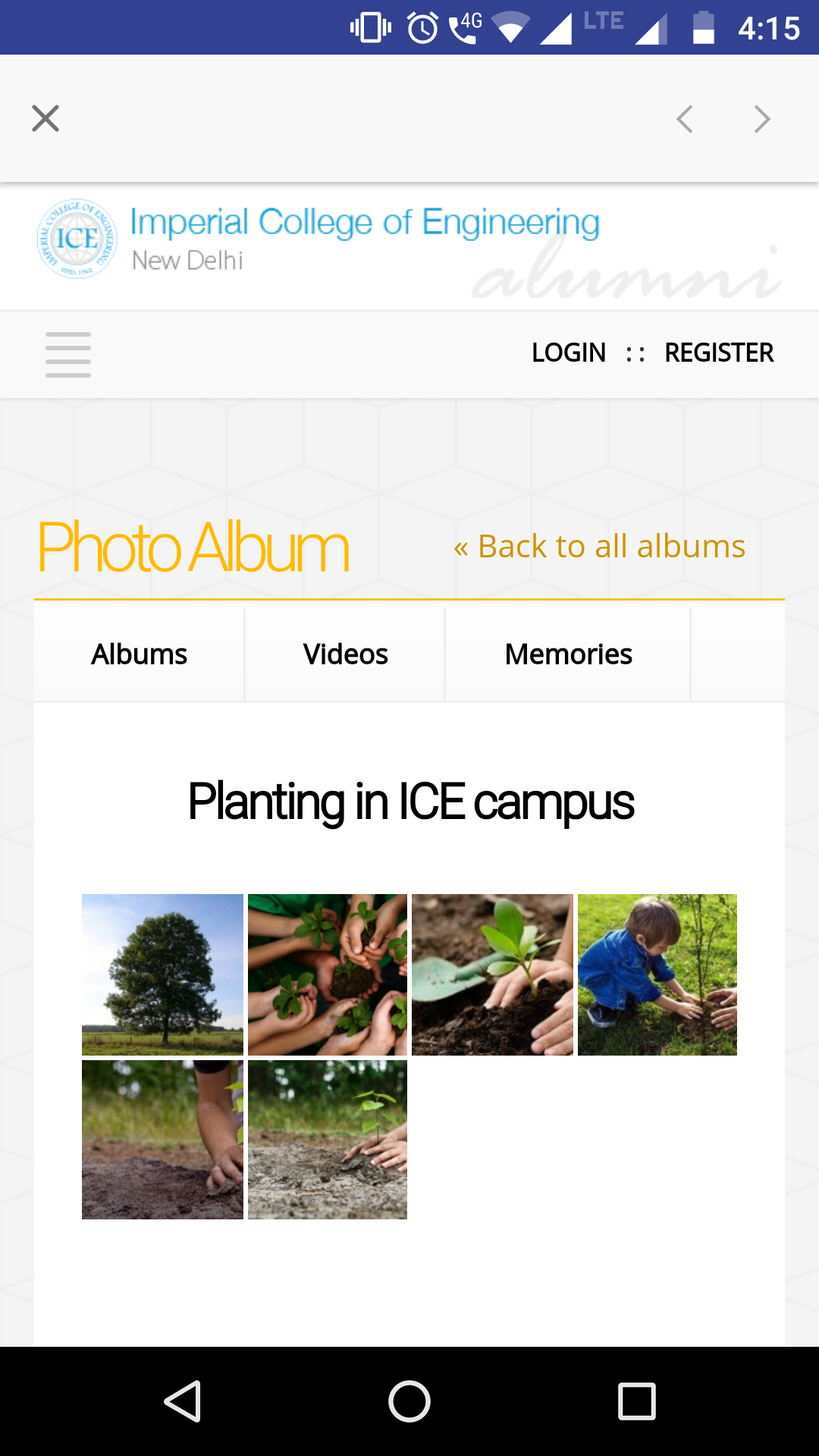
Actual Behavior
It is getting zoomed

Issue Analytics
- State:

- Created 5 years ago
- Comments:16 (1 by maintainers)
 Top Results From Across the Web
 Top Related Medium Post
 Top Related StackOverflow Question
 Troubleshoot Live Code
 Top Related Reddit Thread
 Top Related Hackernoon Post
 Top Related Tweet
 Top Related Dev.to Post
 Top Related Hashnode Post
try to modify ‘scalesPageToFit’ of webview.
Yes the issue is on latest 0.55 too