
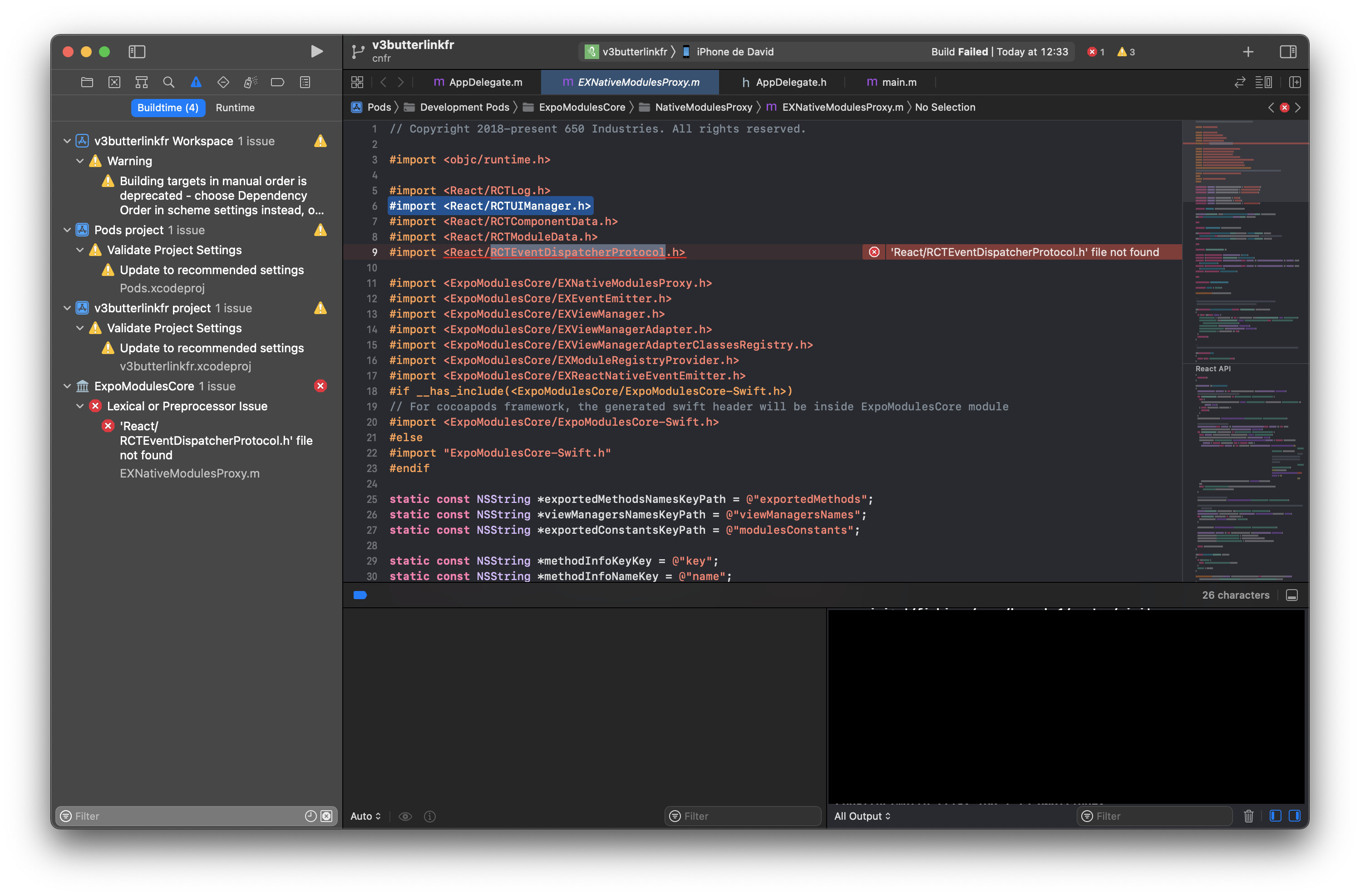
'React/RCTEventDispatcherProtocol.h' file not found
See original GitHub issueSummary
After I added “expo-web-browser” module, the error showed up after a “pod install” from ios folder.
Managed or bare workflow? If you have ios/ or android/ directories in your project, the answer is bare!
bare
What platform(s) does this occur on?
iOS
SDK Version (managed workflow only)
41.0.1
Environment
Expo CLI 4.11.0 environment info: System: OS: macOS 11.6 Shell: 5.8 - /bin/zsh Binaries: Node: 15.8.0 - ~/.nvm/versions/node/v15.8.0/bin/node Yarn: 1.22.10 - /usr/local/bin/yarn npm: 7.5.1 - ~/.nvm/versions/node/v15.8.0/bin/npm Watchman: 2021.11.15.00 - /usr/local/bin/watchman Managers: CocoaPods: 1.10.1 - /Users/davidfabreguette/.rvm/rubies/ruby-2.7.3/bin/pod SDKs: iOS SDK: Platforms: iOS 15.0, DriverKit 20.4, macOS 11.3, tvOS 15.0, watchOS 8.0 IDEs: Xcode: 13.0/13A233 - /usr/bin/xcodebuild npmPackages: @expo/webpack-config: ^0.15.0 => 0.15.0 expo: ~41.0.1 => 41.0.1 react: 16.13.1 => 16.13.1 react-dom: 16.13.1 => 16.13.1 react-native: ~0.63.4 => 0.63.4 react-native-web: ^0.13.12 => 0.13.18 npmGlobalPackages: expo-cli: 4.11.0 Expo Workflow: bare
Reproducible demo or steps to reproduce from a blank project
- I added ‘expo-web-browser’ npm module with a “yarn add”
- I ran “pod install” from ios folder
- I cleaned up build folders with xcode
- I ran the app with xcode
- I encountered the following error : ‘React/RCTEventDispatcherProtocol.h’ file not found
Issue Analytics
- State:

- Created 2 years ago
- Reactions:1
- Comments:10 (4 by maintainers)
 Top Results From Across the Web
 Top Related Medium Post
 Top Related StackOverflow Question
 Troubleshoot Live Code
 Top Related Reddit Thread
 Top Related Hackernoon Post
 Top Related Tweet
 Top Related Dev.to Post
 Top Related Hashnode Post
It should update the version if you have it installed already, but removing it and installing again should work too
@byCedric yes sorry for the delay ! I had to downgrade back to SDK41, uninstall / reinstall expo-web-browser module and it worked ! Thanks for your time !